Homework 10: Zoetrope
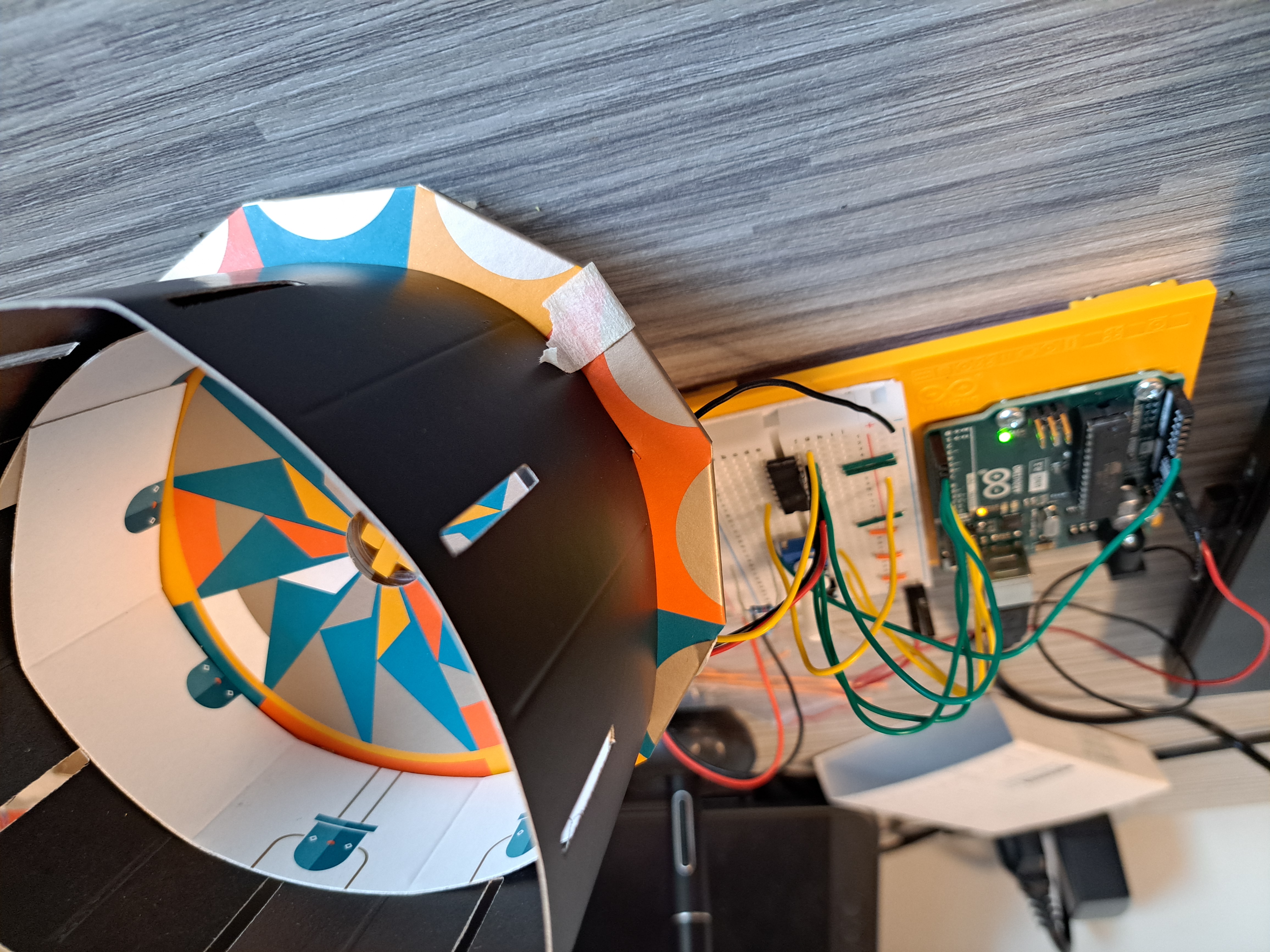
This homework was more interesting since we were working with the H-Bridge, a part that I hadn’t encountered or was ever aware off before. It was less complex than I expected it to be, and it was more enlightening about how simple combinations of things can create other things of increasing complexity.
The Circuit
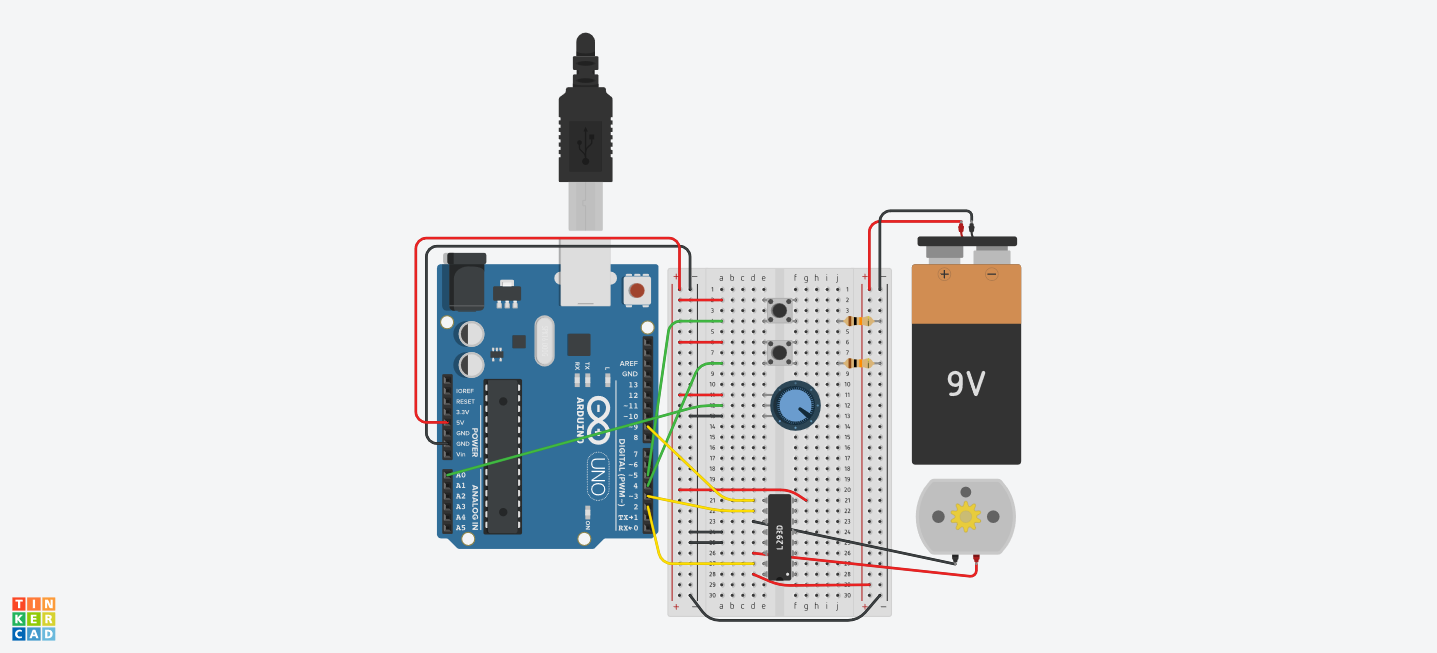
Parts List
| Name | Quantity | Component |
|---|---|---|
| U1 | 1 | Arduino Uno R3 |
| S1, S2 | 2 | Pushbutton |
| Rpot1 | 1 | 250 kΩ Potentiometer |
| U2 | 1 | H-bridge Motor Driver |
| M1 | 1 | DC Motor |
| BAT1 | 1 | 9V Battery |
| R1, R2 | 2 | 10 kΩ Resistor |
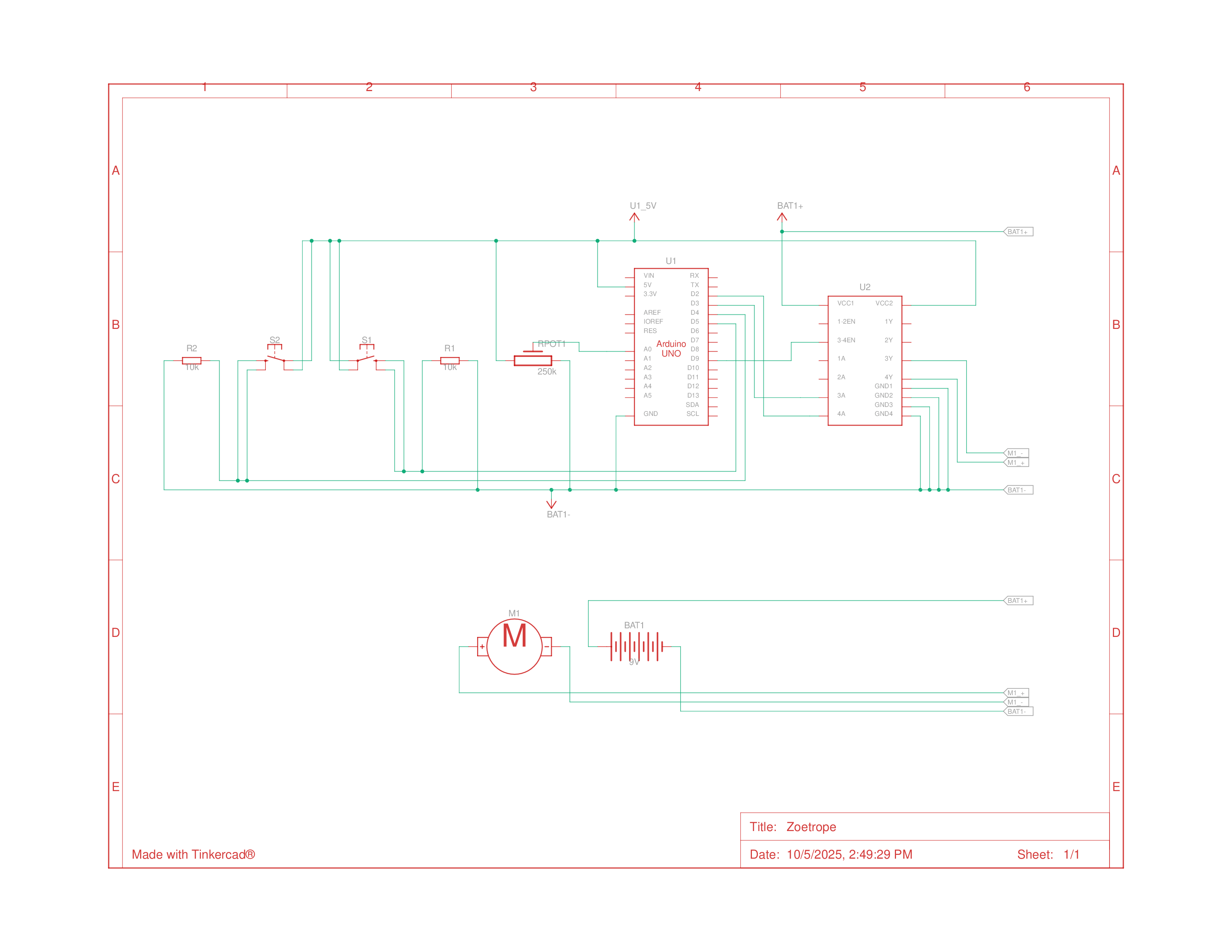
Schematics
Building the Circuit
Building the circuit went by quickly and I don’t really have much more to say about it. The only thing that I didn’t fully get was how the pins were being chosen for the H-Bridge, which I’m just assuming comes from the spec sheet.
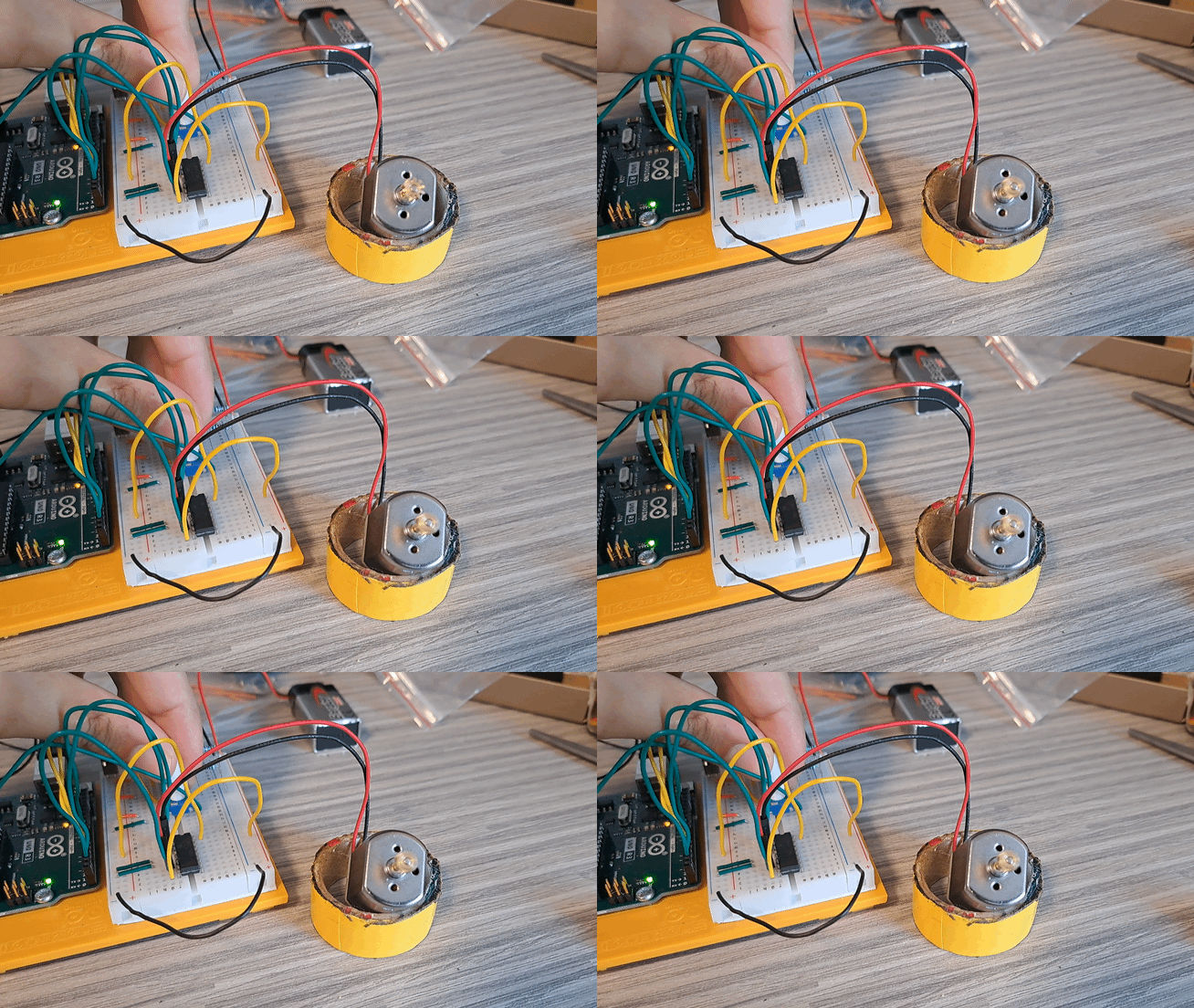
I did however, encounter the same sort of issue with the physical construction of the Zoetrope as a I had with the motorized pinwheel, where it was kind of falling apart, but I didn’t have the time to put any more effort into making it better wince it was going to be deconstructed soon enough anyways.

Programming
After confirming that the circuit was working, I began writing the code for it. The logic for the code was simple, but it did introduce thinking with previous values or across loop iterations, which was good to see in action to start thinking about more complex uses of this further down the line.
1
2
3
4
5
6
7
8
9
10
11
12
13
14
15
16
17
18
19
20
21
22
23
24
25
26
27
28
29
30
31
32
33
34
35
36
37
38
39
40
41
42
43
44
45
46
47
48
49
50
51
52
53
54
55
56
57
58
59
60
61
62
63
64
65
66
67
68
69
70
71
72
73
74
75
76
const int controlPin1 = 2;                // connected to pin 7 on the H-bridge
const int controlPin2 = 3;                // connected to pin 2 on the H-bridge
const int enablePin = 9;                  // connected to pin 1 on the H-bridge
const int directionSwitchPin = 4;         // connected to the switch for direction
const int onOffSwitchStateSwitchPin = 5;  // connected to the switch for turning the motor on and off
const int potPin = A0;                    // connected to the potentiometer's output

// inputs
int onOffSwitchState = 0;
int previousOnOffSwitchState = 0;
int directionSwitchState = 0;
int previousDirectionSwitchState = 0;

int motorEnabled = 0;
int motorSpeed = 0;
int motorDirection = 1;

void setup() {
  // initialize the inputs and outputs
  pinMode(directionSwitchPin, INPUT);
  pinMode(onOffSwitchStateSwitchPin, INPUT);
  pinMode(controlPin1, OUTPUT);
  pinMode(controlPin2, OUTPUT);
  pinMode(enablePin, OUTPUT);

  // pull the enable pin LOW to start
  digitalWrite(enablePin, LOW);
}

void loop() {
  // read the value of the on/off switch
  onOffSwitchState = digitalRead(onOffSwitchStateSwitchPin);
  delay(1);

  // read the value of the direction switch
  directionSwitchState = digitalRead(directionSwitchPin);

  // map potentiometer val to motor
  motorSpeed = analogRead(potPin) / 4;

  // if the on/off button changed state
  if (onOffSwitchState != previousOnOffSwitchState) {
    if (onOffSwitchState == HIGH) {
      motorEnabled = !motorEnabled;
    }
  }

  // if the direction button changed state
  if (directionSwitchState != previousDirectionSwitchState) {
    if (directionSwitchState == HIGH) {
      motorDirection = !motorDirection;
    }
  }

  // change the direction the motor spins
  // on the H-Bridge
  if (motorDirection == 1) {
    digitalWrite(controlPin1, HIGH);
    digitalWrite(controlPin2, LOW);
  } else {
    digitalWrite(controlPin1, LOW);
    digitalWrite(controlPin2, HIGH);
  }

  // if the motor is supposed to be on
  if (motorEnabled == 1) {
    // PWM the enable pin to vary the speed
    analogWrite(enablePin, motorSpeed);
  } else {
    //turn the motor off
    analogWrite(enablePin, 0);
  }
  // update previous states
  previousDirectionSwitchState = directionSwitchState;
  previousOnOffSwitchState = onOffSwitchState;
}