Homework 11: Crystal Ball
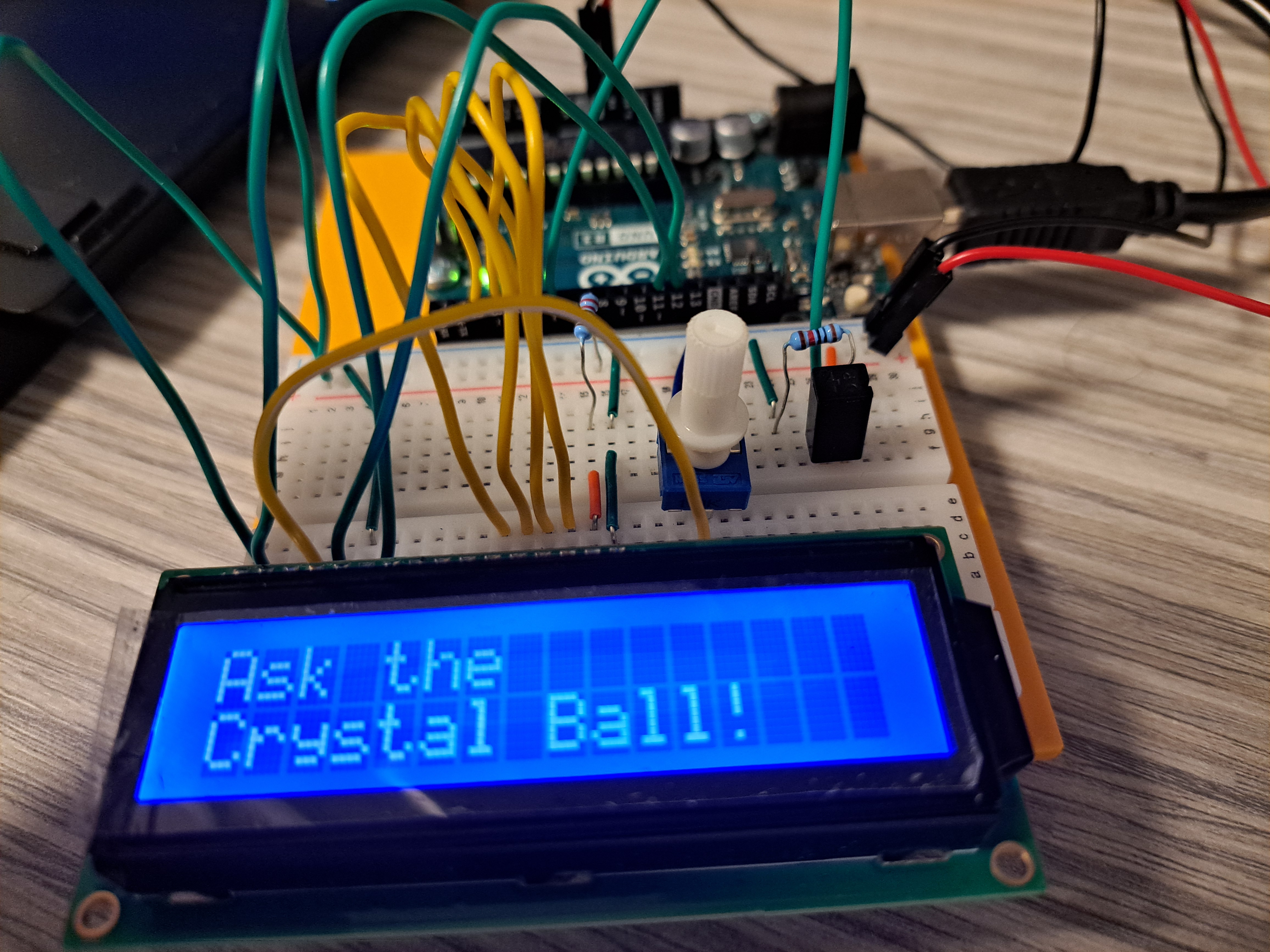
This homework was more exciting since we were printing stuff to the screen which I thought was cool
The Circuit
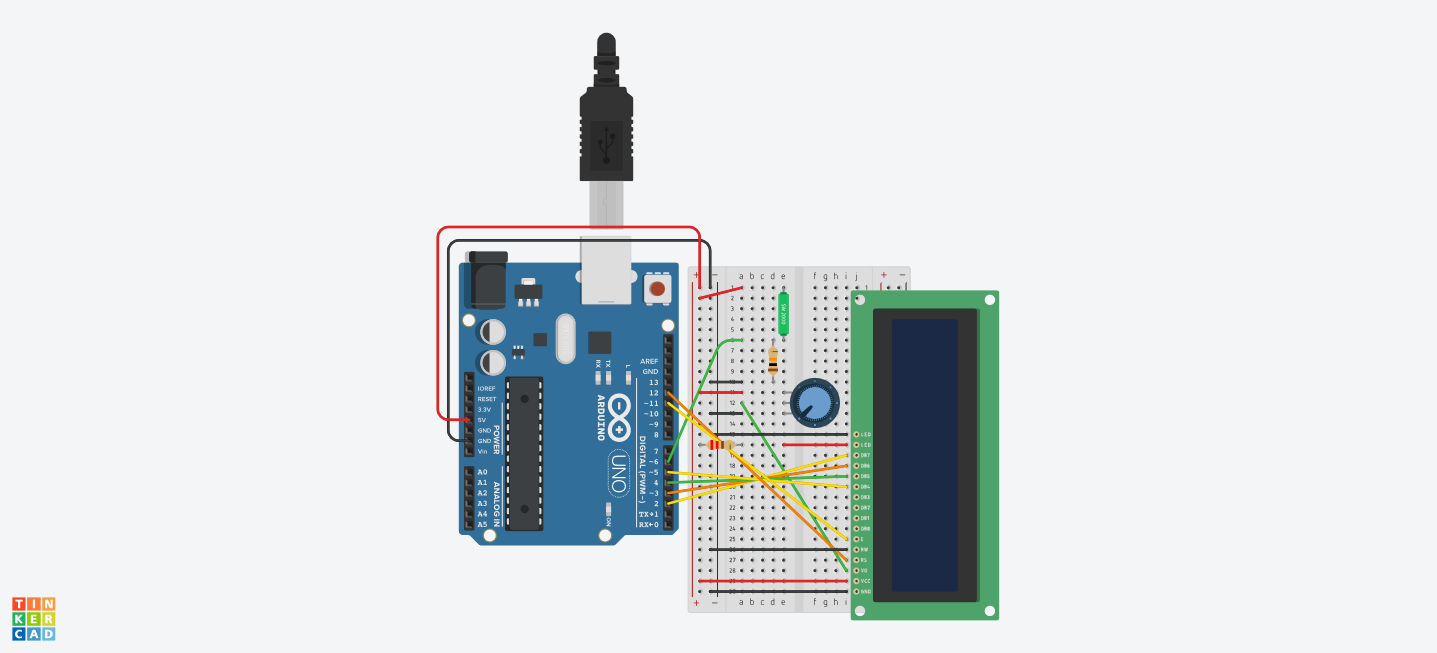
Parts List
| Name | Quantity | Component |
|---|---|---|
| U1 | 1 | Arduino Uno R3 |
| TILT1 | 1 | Tilt Sensor |
| R1 | 1 | 10 kΩ Resistor |
| Rpot1 | 1 | 250 kΩ Potentiometer |
| U2 | 1 | LCD 16 x 2 |
| R2 | 1 | 220 Ω Resistor |
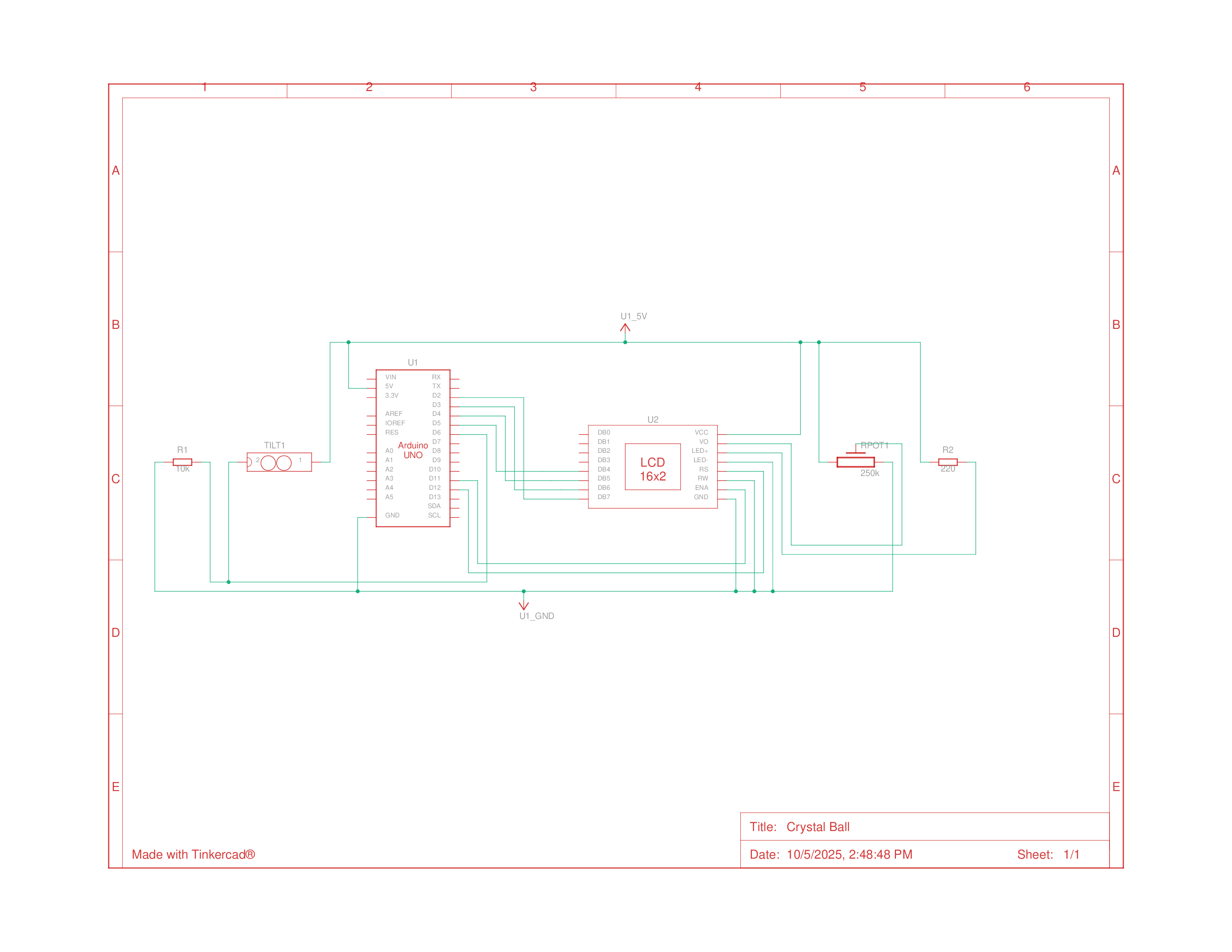
Schematics
Building the Circuit
Building the circuit went by quickly and I don’t really have much more to say about it. The only thing I did need to think more about, similar to the last homework, was why connect the pins to the LED in the way we did, which was more clear this time, since there were symbols printed onto the LCD that identified what the pins were.
Programming
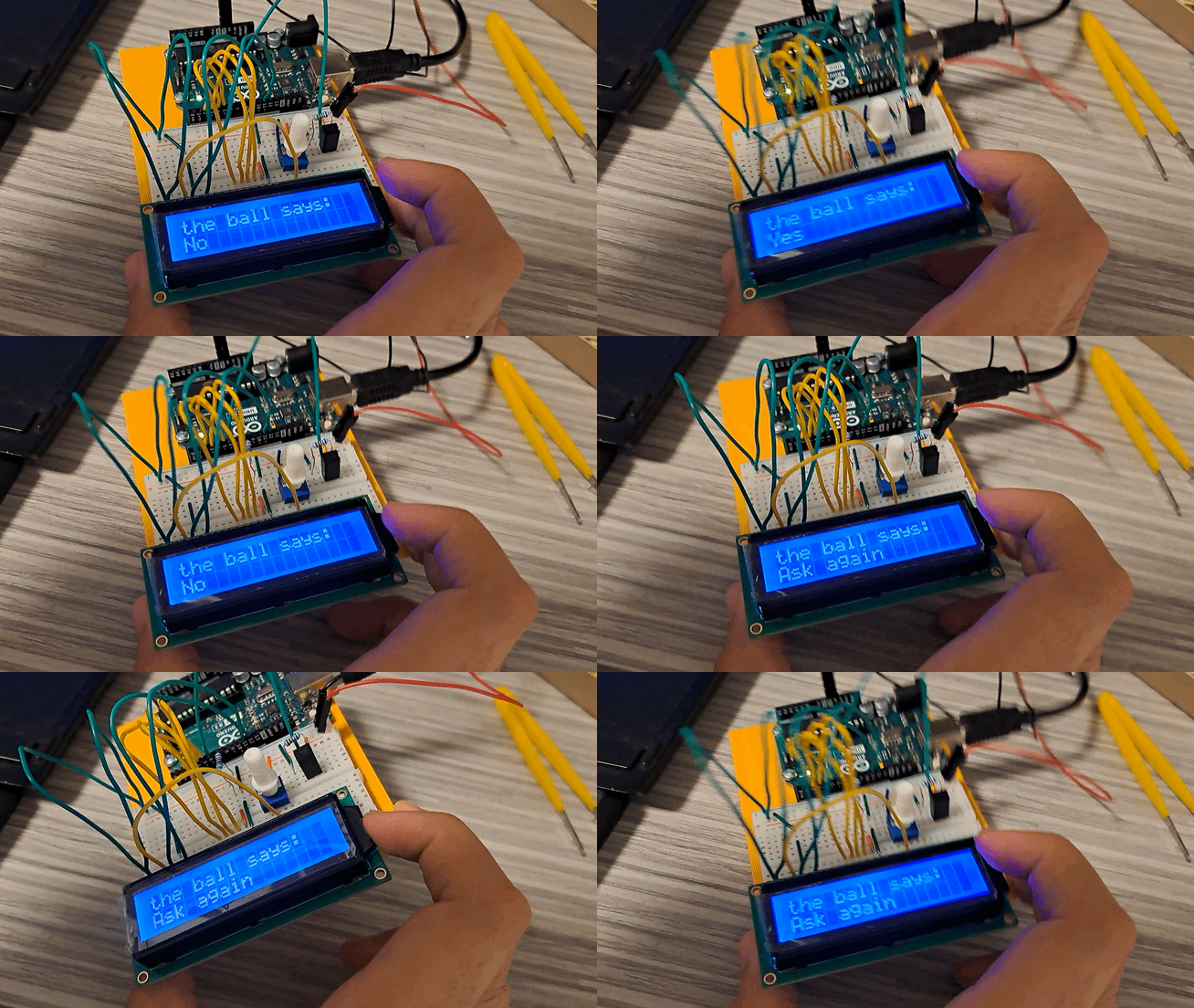
After confirming that the circuit was working, I then unloaded the example sketch and began programming the arduino, which this time, the program was way simpler than expected since the LCD library did everything, and I just lifted the same switch state from the example code since I didn’t feel like designing custom messages for an ‘8 ball’ that I would be deconstructing soon enough anyways.
1
2
3
4
5
6
7
8
9
10
11
12
13
14
15
16
17
18
19
20
21
22
23
24
25
26
27
28
29
30
31
32
33
34
35
36
37
38
39
40
41
42
43
44
45
46
47
48
49
50
51
52
53
54
55
56
57
58
59
60
61
62
63
64
65
66
67
68
69
70
71
72
73
74
75
76
77
#include <LiquidCrystal.h>

// initialize the library with the numbers of the interface pins
LiquidCrystal lcd(12, 11, 5, 4, 3, 2);

const int switchPin = 6;
int switchState = 0;
int prevSwitchState = 0;
int reply;

void setup() {
  // set up the number of columns and rows on the LCD
  lcd.begin(16, 2);
  pinMode(switchPin, INPUT);

  // Print a message to the LCD.
  lcd.print("Ask the");
  // set the cursor to column 0, line 1
  lcd.setCursor(0, 1);
  lcd.print("Crystal Ball!");
}

void loop() {
  // check the status of the switch
  switchState = digitalRead(switchPin);

  // compare the switchState to its previous state
  if (switchState != prevSwitchState) {
    if (switchState == LOW) {
      // randomly chose a reply
      reply = random(8);
      // clean up the screen before printing a new reply
      lcd.clear();
      // set the cursor to first column and row
      lcd.setCursor(0, 0)
      lcd.print("the ball says:");

      // print to 2nd line
      lcd.setCursor(0, 1);
      switch (reply) {
        case 0:
          lcd.print("Yes");
          break;

        case 1:
          lcd.print("Most likely");
          break;

        case 2:
          lcd.print("Certainly");
          break;

        case 3:
          lcd.print("Outlook good");
          break;

        case 4:
          lcd.print("Unsure");
          break;

        case 5:
          lcd.print("Ask again");
          break;

        case 6:
          lcd.print("Doubtful");
          break;

        case 7:
          lcd.print("No");
          break;
      }
    }
  }
  // update switch states
  prevSwitchState = switchState;
}