Homework 6: Light Theremin
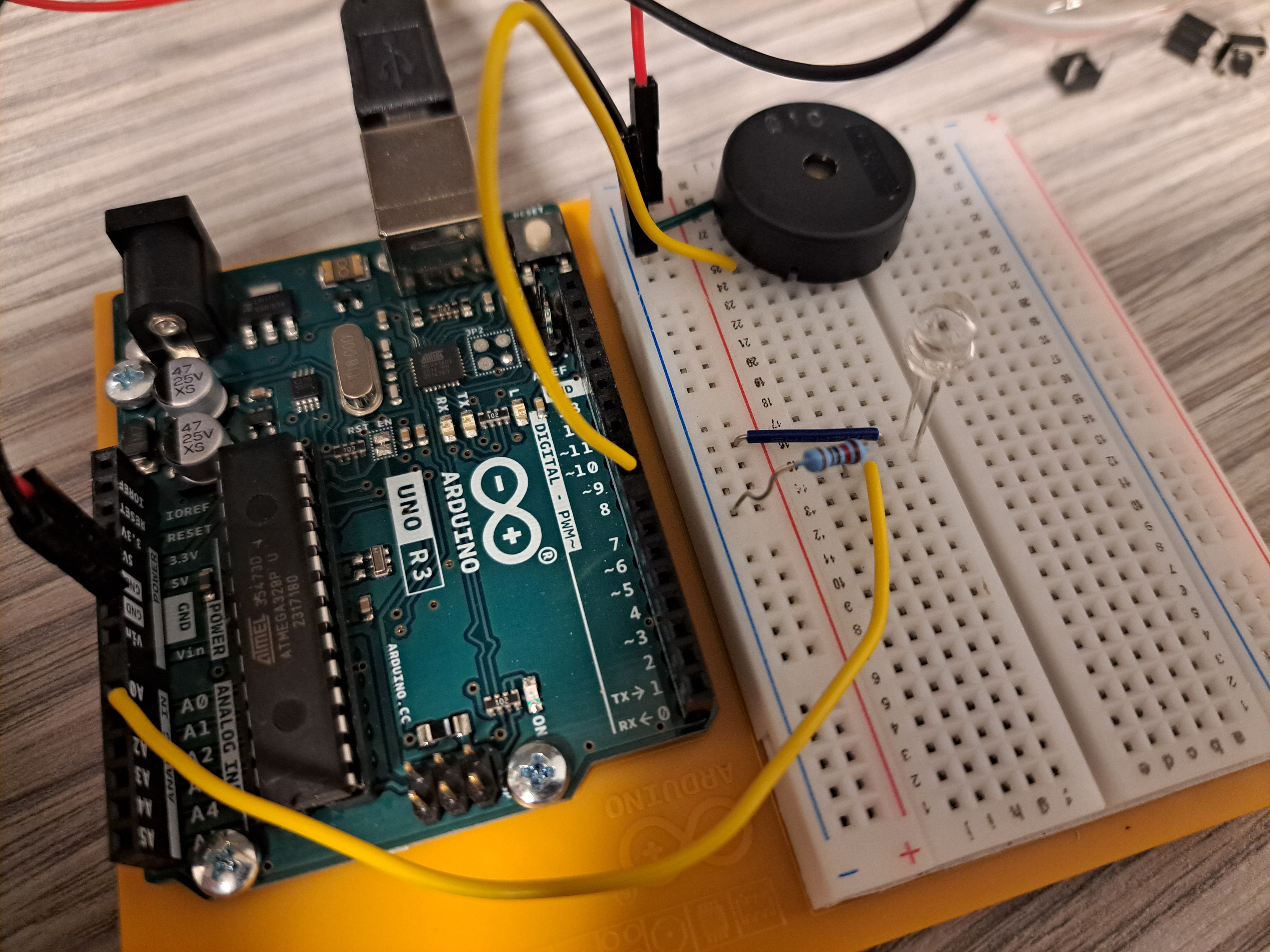
This project was pretty fun to do, though the end result of it was quite annoying. There wasn’t much wiring required so building the circuit went by smoothly. It was also cool to be introduced to using the Piezo and creating sound using the Arduino.
The Circuit
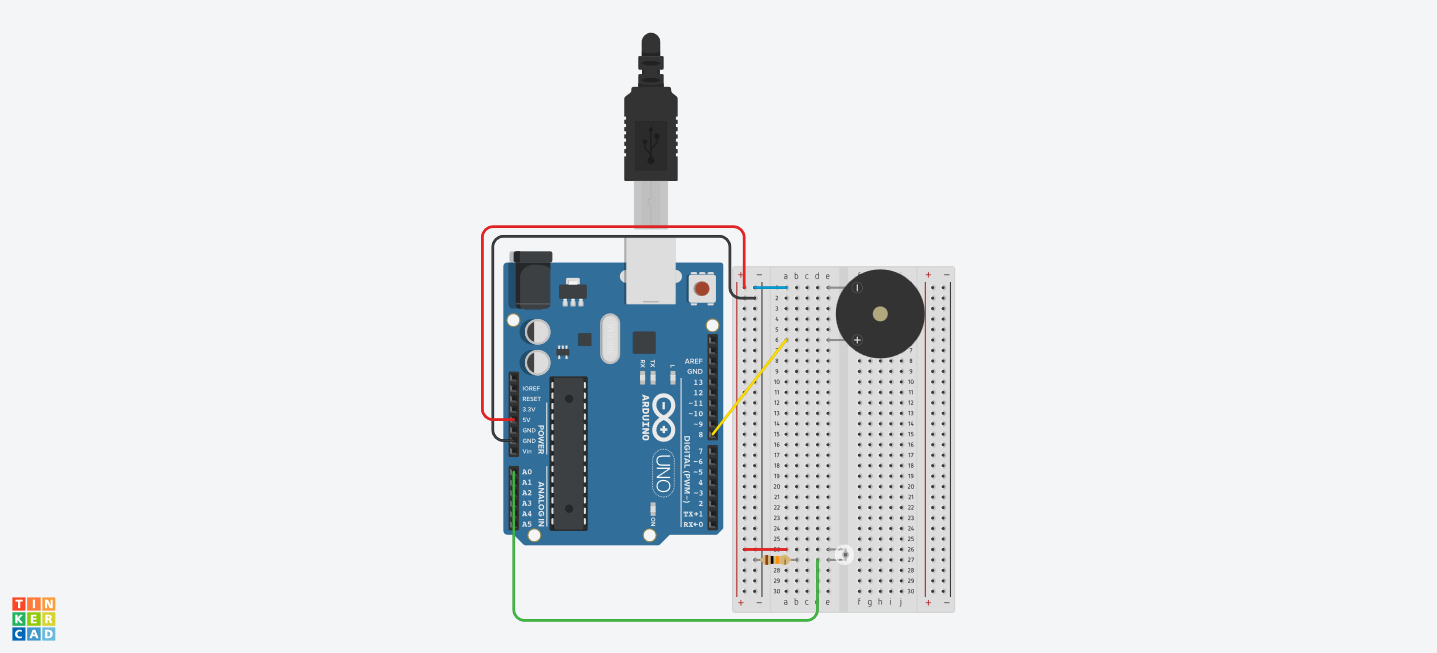
Parts List
| Name | Quantity | Component |
|---|---|---|
| U1 | 1 | Arduino Uno R3 |
| PIEZO1 | 1 | Piezo |
| R1 | 1 | 10 kΩ Resistor |
| Q1 | 1 | Ambient Light Sensor [Phototransistor] |
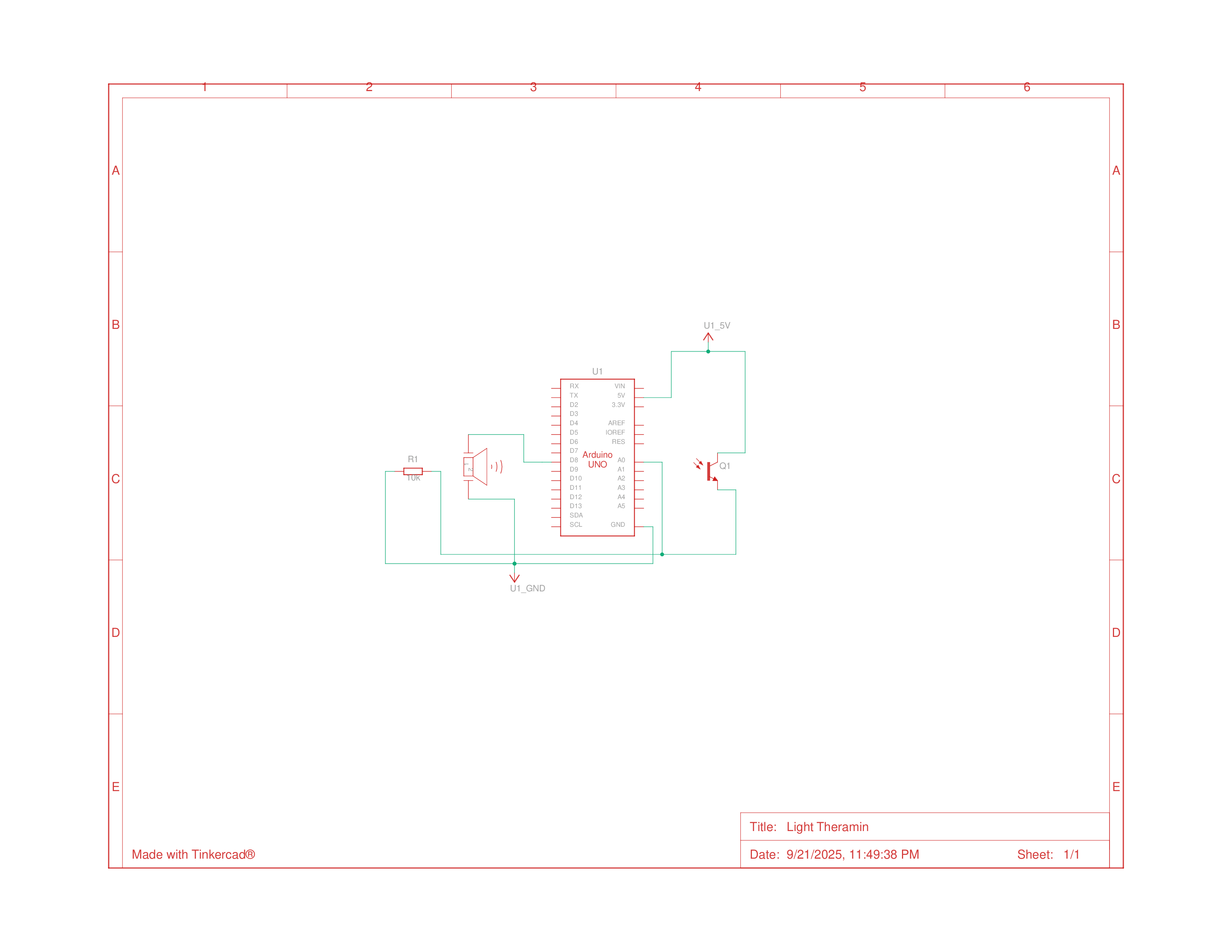
Schematics
Building the Circuit
Assembling the circuit was simple since there very few components and wires, however, one issue I did run into and couldn’t fully solve was that there was a lot of electrical noise affecting the sounds made by the Piezo, which I managed to somehow reduce by twisting the wires and forcing the resistors further into the breadboard, but it still sounded annoying enough to want to immediately dismantle after testing was finished.
Homework 6: Light Theremin demo
Programming
After confirming that the circuit was working, I began writing the code for the project. The code was simple and straight forward, but it also introduced me to the ideas of calibrating, which was easy to understand, but not something I had previously considered at all.
1
2
3
4
5
6
7
8
9
10
11
12
13
14
15
16
17
18
19
20
21
22
23
24
25
26
27
28
29
30
31
32
33
34
35
36
37
38
39
40
int sensorValue;
int sensorLow = 1023; // low value for calibration
int sensorHigh = 0;	// high value for calibration
// LED pin
const int ledPin = 13;

void setup() {
  // turn on Led pin as output
  pinMode(ledPin, OUTPUT);
  digitalWrite(ledPin, HIGH);

  // calibrate for the first five seconds after program runs
  while (millis() < 5000) {
    // record the maximum sensor value
    sensorValue = analogRead(A0);
    if (sensorValue > sensorHigh) {
      sensorHigh = sensorValue;
    }
    // record the minimum sensor value
    if (sensorValue < sensorLow) {
      sensorLow = sensorValue;
    }
  }
  // turn off LED to signal end of calibration
  digitalWrite(ledPin, LOW);
}

void loop() {
  //read the input from A0
  sensorValue = analogRead(A0);

  // map the sensor values to pitches
  int pitch = map(sensorValue, sensorLow, sensorHigh, 50, 4000);

  // play the tone for 20 ms on pin 8
  tone(8, pitch, 20);

  // wait for a moment
  delay(10);
}